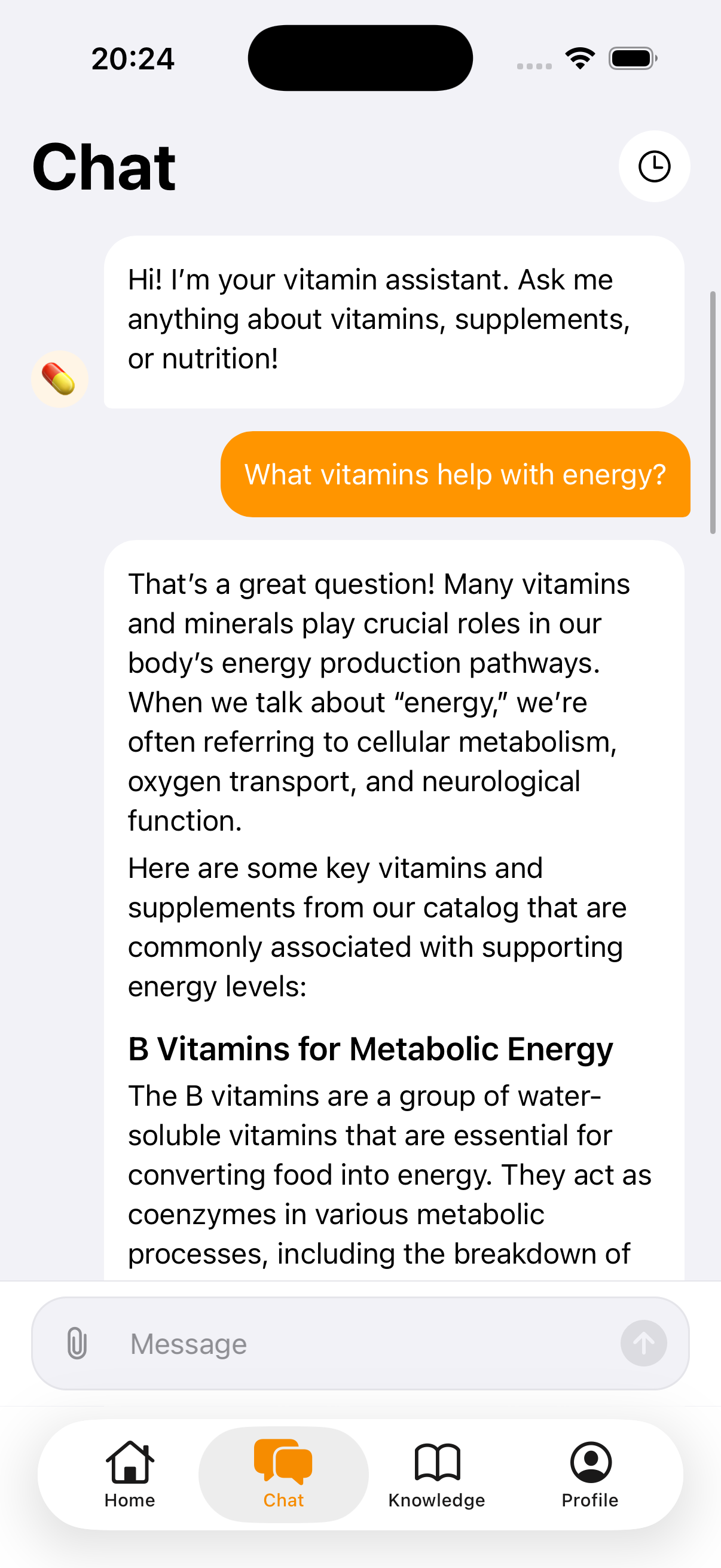
What an AI vitamin coach is
People look for an AI vitamin assistant when the cabinet is already confusing. A lab line mentions vitamin D. A friend mentions K2. A label mentions omega-3. None of those sentences is a plan, and a blank tracker does not become a plan just because you can type into it. The coach is the part of VitaminHelper that helps you draft the list before you are asked to check it off.
It is a personalized vitamin planner in the narrow sense: it can suggest a course with timing and combinations, using what you told it. It is not a vitamin planning tool that knows your body better than the person who ordered your tests. Suggestions can be incomplete or wrong. That limit is on the label of the product, and it belongs at the start of this page, not in a footnote.
Used well, the coach replaces a 40-question form and a notes app. Used poorly, it becomes a confident voice you treat as a prescription. VitaminHelper is built for the first use. You stay in charge of what gets saved. A qualified professional stays in charge of diagnosis, dosing changes, and anything that is already a prescribed treatment.
How the VitaminHelper AI assistant works
There are three doors in. You can take a short onboarding survey that branches, so you answer what applies instead of a fixed questionnaire. You can describe symptoms in ordinary language in the chat, the way you would explain a tired afternoon to a friend. Or you can upload lab results as a PDF or a photo and use the assistant as a reading aid for what is on the page.
The reply is a draft: vitamins and minerals the text suggests looking at, timing relative to meals, and combinations people often discuss together, such as vitamin D with K2. You can ignore a line. You can add a bottle the draft missed. When a course looks like something you are willing to follow, you save it into the vitamin tracker in one tap. From there it is ordinary rows with meal slots, not a chat transcript you have to reread.
AI features, including chat and lab upload, require an account and explicit consent the first time you use them. You can withdraw that consent in Settings. Some of the rest of the app, including parts of the tracker, can be used without signing in. The assistant is optional. The log still works if you never open the chat.
What information the planner uses
The assistant only knows what you hand it, plus the course already in your tracker when that context is needed to answer. It does not read your medical record from somewhere else. If you skip the survey and do not upload a file, the draft is coming from a short conversation, and you should treat it that way.
- Onboarding answers such as age, sex, weight, goals, and symptoms you choose to enter
- Lab files or photos you upload, used as a reading aid for the page, not as a diagnosis
- Chat messages you write about how you feel
- The current tracker contents, when the reply needs to know what you already log
Those inputs are sent to the AI provider to generate the reply. VitaminHelper uses Google Gemini for chat, lab-reading assistance, course suggestions, and personalized onboarding. API settings are configured so that data is not used to train models by default, according to the provider's API terms. Inputs and outputs are stored so you can keep history and sync devices. The privacy policy is the full description, including consent and how to ask for deletion.
Accuracy is not guaranteed. A highlighted line on a lab PDF can be misread. A chat answer can skip a medicine you forgot to mention. Bring the same file to a professional if you are going to change a dose because of it. The coach is a second pair of eyes on text you already have, not a second clinician.
What the AI supplement planner can and cannot do
It can shorten the path from a vague stack to a course with meal timing. It can point at combinations worth reading about, and it can sit next to a guide of 50+ vitamins and minerals so a name in the draft links to food sources and timing context. It can save that course so reminders and check-offs have something real to attach to.
It cannot tell you that you are deficient. It cannot clear a supplement against every drug you take. It cannot see the bottle in your kitchen unless you put that bottle in the tracker. Weekly mood, energy, and sleep check-ins live beside the log afterward. They are trends for you to notice, not a diagnosis the model is allowed to declare.
- Draft a course from a survey, a description, or a lab file you upload
- Suggest timing around breakfast, lunch, dinner, or bedtime
- Flag combinations people commonly discuss, such as vitamin D with K2
- Save the draft into the tracker in one tap, where you can delete any row
- Refuse the job of a doctor: no diagnosis, no treatment, no instruction to stop a medicine
If the draft and your clinician disagree, follow the clinician. If the draft and the product label disagree, read the label and ask a pharmacist. The planner is allowed to be a starting point. It is not allowed to be the last word.
How to start
Install VitaminHelper on iPhone or Android and open the coach when you want a draft, not when you want a verdict. You can also skip it and build the tracker by hand. Both paths end in the same daily list.
Have the bottles, the lab PDF, or a plain description ready before you start. The assistant is more useful with something specific than with the single word tired. You will be asked for consent before health and lab data go to the AI. Read it. You can say no and still use the tracker and reminders.
Pick a starting point
Take the short survey, describe how you feel in the chat, upload a lab PDF or photo, or begin from the supplements you already take. You do not need all four. One honest input beats four vague ones.
Read the draft like a draft
Check every suggested name against what you already own and against any instruction a professional already gave you. Remove duplicates. If a multivitamin already contains a mineral, do not keep a second bottle of it just because the draft listed both. The supplement reminder page explains how the rows you keep will be scheduled.
Save it into the tracker
One tap turns the course into tracker rows. Set meal times if you have not already. Mark doses as you take them. If a week of checkmarks shows a slot you never hit, change the slot or drop the bottle. The coach does not get a vote after you have saved the list, unless you ask it again.
Take the same file to a person
If you uploaded labs, the professional who ordered them should still interpret them. Use the app so you remember what you took while that conversation happens. Do not change a dose because a paragraph sounded sure of itself.
Related guides
Questions about the AI vitamin coach
Is the AI vitamin coach medical advice?
No. VitaminHelper provides educational information only. It is not a medical device and does not diagnose, treat, or cure any condition. An AI vitamin assistant can draft a supplement course and help you read a file you uploaded. It cannot replace a qualified clinician, and you should not start, stop, or change a supplement or medicine based only on a chat reply.
What is a personalized vitamin planner here?
It means the draft is built from what you entered: survey answers, a description, a lab file, or the supplements already in your tracker. It is not a generic list of trendy bottles, and it is not a plan calculated from a hidden medical record. You edit it before anything becomes a daily row. Personal means based on your input, not guaranteed right for your body.
Can it read lab results?
You can upload a PDF or a photo, and the assistant can help you read what is on the page. That is a reading aid. It can miss a line, misread a unit, or ignore context the file does not contain. Processing labs requires an account and your explicit consent. Take the same file to the professional who ordered the test before you change a dose.
Will the plan land in my tracker automatically?
Only if you save it. The coach can put a course into the vitamin tracker in one tap, and you can delete any row after that. Until you save, it is a conversation. Reminders follow the saved course, not the chat. If you never save a draft, nothing new gets scheduled.
What happens to the information I type?
Prompts and the context needed to answer — survey answers, files you upload, chat text, and tracker contents when relevant — are sent to the AI provider and stored so history can sync. VitaminHelper does not sell personal information. Consent is required before health and lab data are processed this way, and you can withdraw it in Settings. Details are in the privacy policy.
Explore VitaminHelper AI Coach
Describe a starting point, read the draft as a draft, and save only the course you are willing to track.
This page is for general information. VitaminHelper is not a medical device and does not provide diagnosis or treatment. Talk to a qualified healthcare professional before starting, stopping, or changing any supplement or medication.